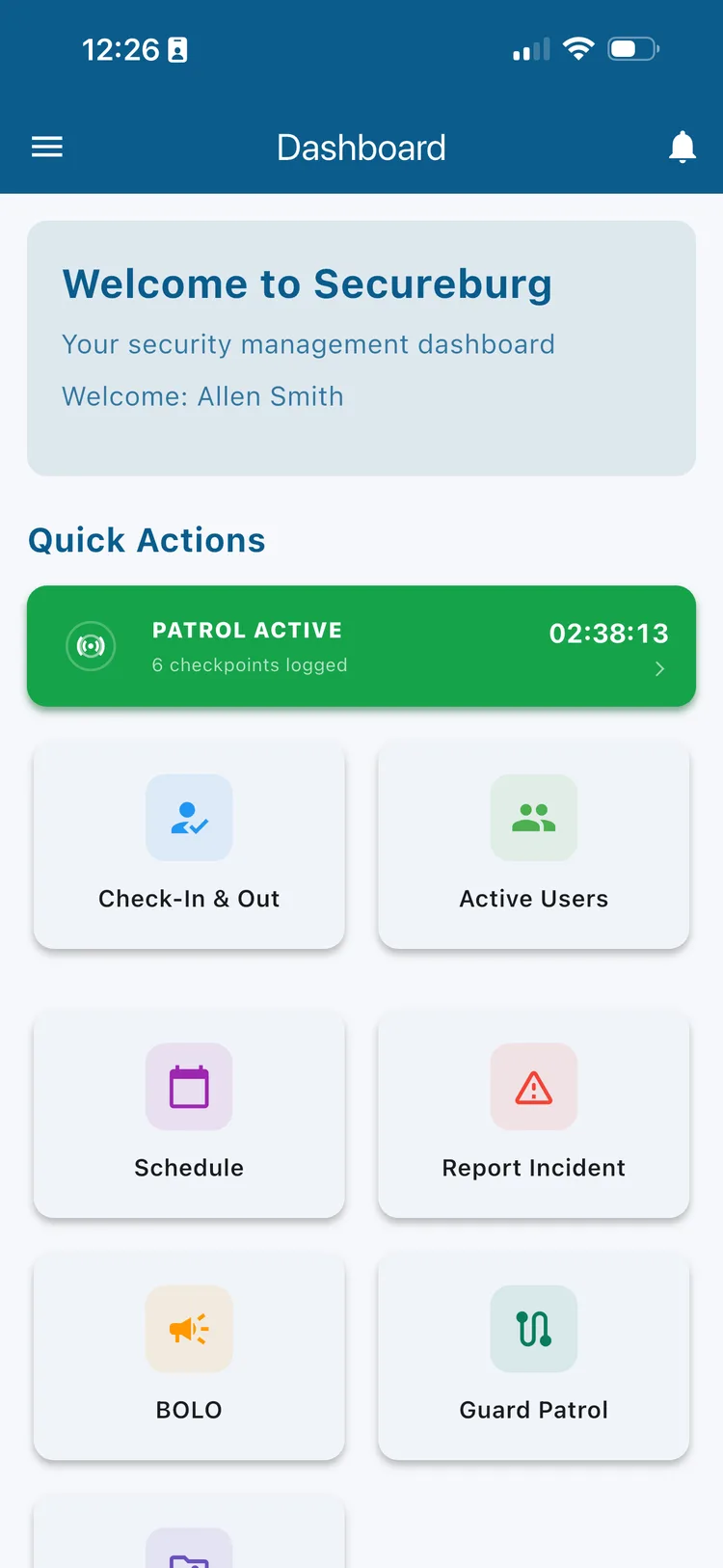
Guards see an Active Patrol indicator right on the home screen the moment a round starts.
Guards check in at real checkpoints using BLE beacons, NFC tags, or QR codes, and Secureburg verifies they were actually there. No more paper logs, radio check-ins, or trusting that a round got walked.
Guards check in from the mobile app. Managers set up checkpoints and intervals from the dashboard.
Guards see an Active Patrol indicator right on the home screen the moment a round starts.
Paper patrol sheets get filled out at the end of a shift, not at each stop. Radio check-ins prove a guard was near a phone, not at a checkpoint. When a client asks whether the loading dock was actually checked at 2 a.m., "probably" isn't a good enough answer.
Secureburg verifies proximity at the moment of check-in, using whatever hardware fits each site — a BLE beacon, an NFC tag, or a printed QR code — and keeps a timestamped record of every round.
Set it up once per site, then let the app do the verifying.
The app scans for nearby Bluetooth beacons automatically when a check-in opens, so most checkpoints verify themselves without scanning anything.
Tap a phone to an NFC tag mounted at a checkpoint for an instant, contact-based verification — useful for spots where a beacon isn't practical.
Print and post a QR code at any location and let guards check in with the camera — no hardware to install or maintain.
Choose how close a guard needs to be before a beacon checkpoint verifies — from strict to relaxed, or set a custom sensitivity per site.
Set how often each site needs to be checked — every 30 minutes, hourly, or whatever fits the contract — and every checkpoint follows it.
Already logged? The app shows when the checkpoint was last checked and exactly when it's due again, so guards aren't tempted to log the same stop twice.
Patrols keep working with no signal. Check-ins are stored on the device and sync automatically the moment connectivity returns.
Configure every checkpoint's site, floor, and location name from Settings, attach a photo so it's easy to find, and test a beacon before guards ever rely on it.
Open a patrol session and see every checkpoint on the route, how long ago it was last logged, and how many are due right now. No guessing which stop comes next.
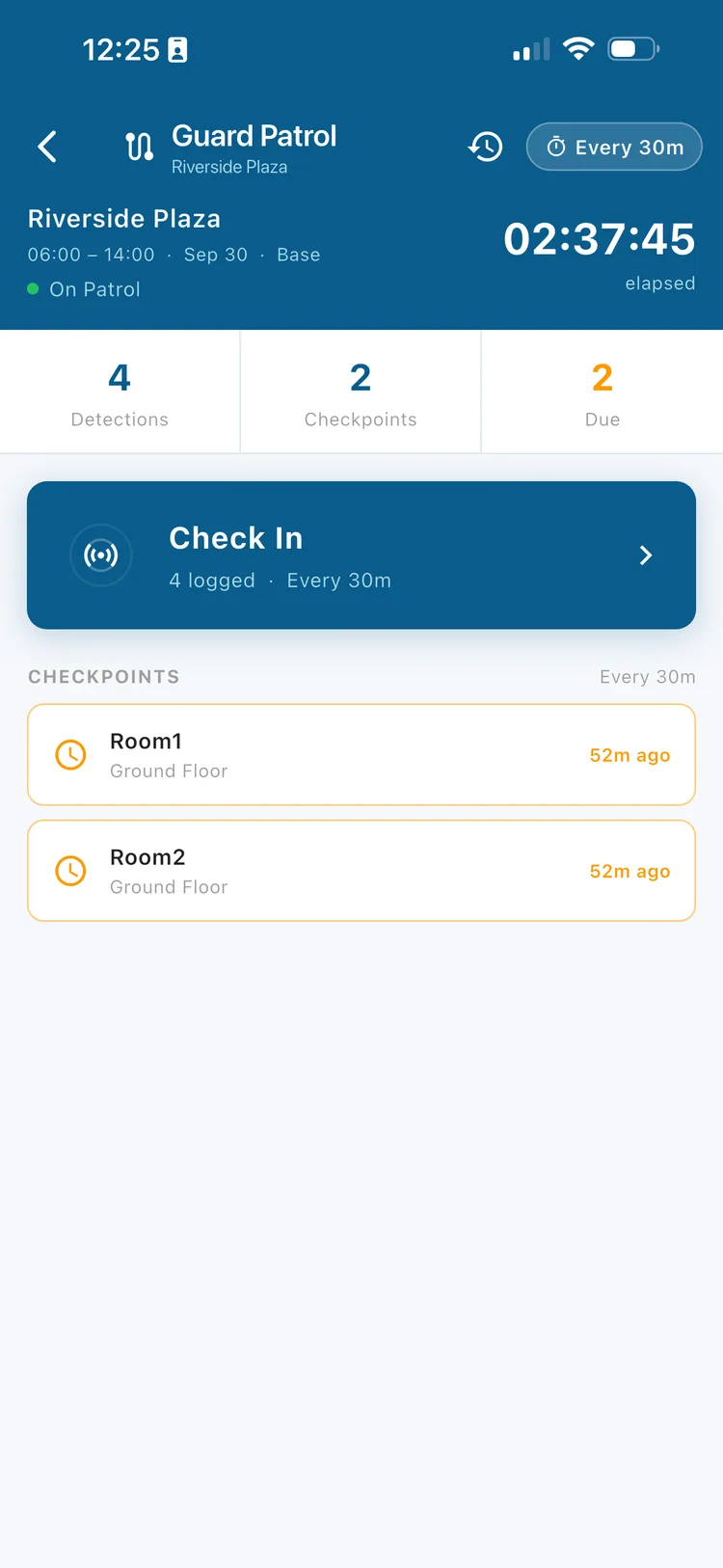
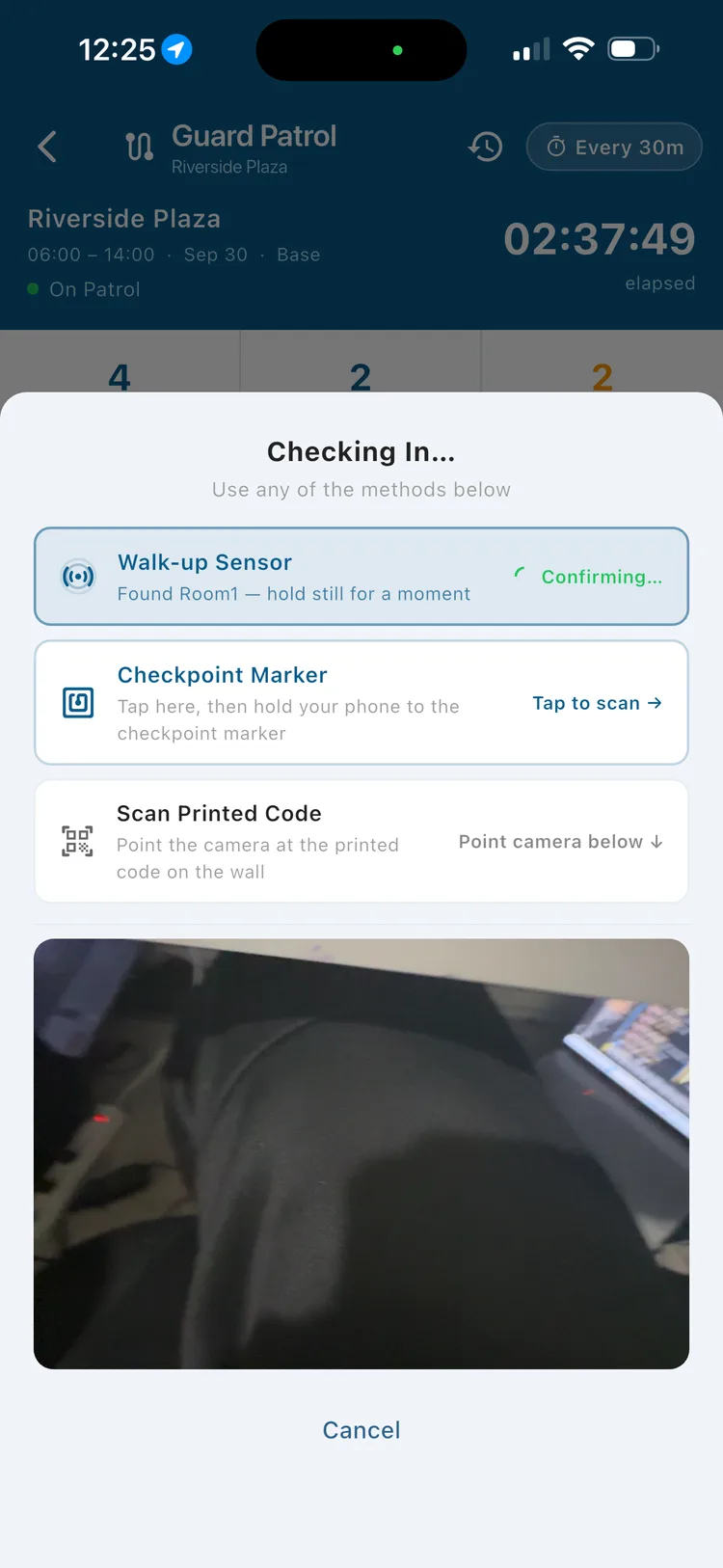
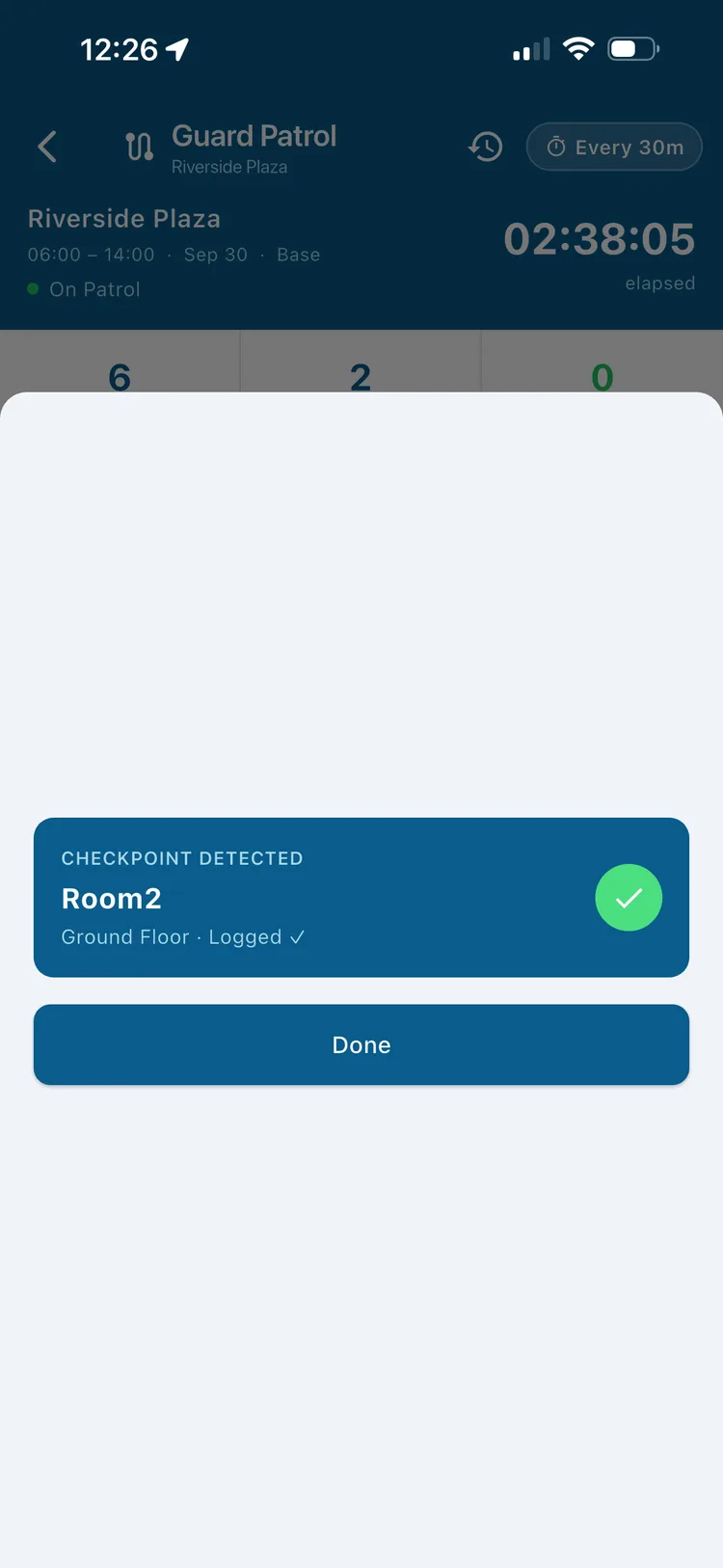
Open a check-in and the app starts scanning for nearby BLE checkpoints right away — no scanning a code unless that's how the checkpoint is set up. If the beacon is close enough, the checkpoint is verified and logged automatically.
Secureburg supports standard BLE beacons, NFC tags, and simple printed QR codes — pick whichever fits a location, or mix methods across a site. See pricing for how hardware and other usage-based items are handled.
Configure checkpoints once, then every patrol verifies itself.
From Settings, create each checkpoint with its site, floor, and location, and choose BLE, NFC, or QR as the check-in method.
Choose how often the site needs to be patrolled, and tune proximity sensitivity if you're using beacons.
The app shows every checkpoint and what's due. Most BLE checkpoints verify automatically as the guard gets close.
Completed checkpoints — and anything logged offline — sync to the dashboard, building a timestamped history per site and guard.
It's software that verifies a guard was physically present at a checkpoint during a patrol round, using BLE beacons, NFC tags, or QR codes, instead of relying on a paper log or a radio call.
When a guard opens a check-in, the app scans for nearby beacons automatically. If a configured beacon is detected close enough, the checkpoint verifies and logs itself — no scanning required.
Yes. Each site can use a strict, standard, or relaxed proximity setting, or you can set a custom sensitivity — giving you control over how forgiving or exact the detection is.
Use NFC tags or a printed QR code instead. You can mix check-in methods across a single site depending on what fits each location.
Yes. Check-ins are stored on the device while offline and sync automatically once the guard is back online, so you still get a complete, accurate record.
The app shows when a checkpoint was last logged and when it's next due based on the site's patrol interval, and won't log a duplicate check-in before that window opens.
Yes. Each checkpoint has a test option that scans for the configured beacon and confirms the mobile app can detect it before guards depend on it in the field.
Set up your first checkpoint and see a verified round come through. Or book a demo and we'll walk through a setup that matches your sites.
Also see security guard scheduling software, security guard compliance software, every Secureburg feature, and security guard management software for Texas companies.