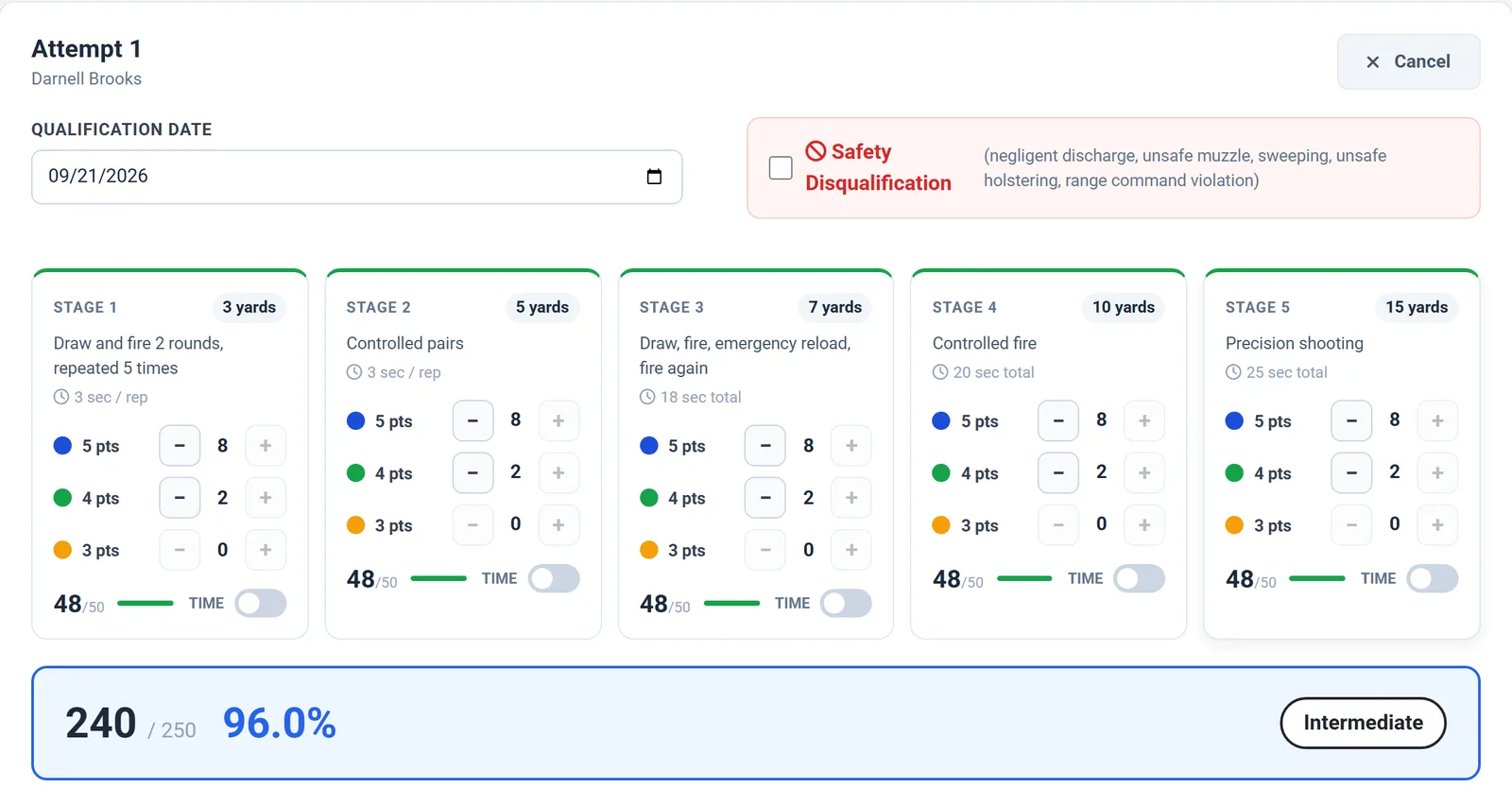
The scoring sheet: five stages, points by round, and a live total and classification.
Score every qualification on a five-stage, 250-point sheet, apply the pass marks you set, and keep every attempt on record. No more paper score sheets in a filing cabinet, and no more guessing who last qualified and how they did.
Admins record each attempt from the web dashboard. Officers see their own results.
The scoring sheet: five stages, points by round, and a live total and classification.
Range scores get written on paper, photographed on a phone, or typed into a spreadsheet that only one person understands. When a client, an insurer, or an inspector asks who is qualified to carry on their site, the answer takes an afternoon to put together.
Firearms qualification tracking should make the answer easy to find: who qualified, when, with what score, and after how many attempts.
Everything you need to score, classify, and document firearms qualifications for your armed officers.
Each stage shows its distance, description, and time limit, and you record the rounds scored at 5, 4, and 3 points, for up to 50 points per stage, with a time check for each.
The total out of 250, the percentage, and the classification update as you enter scores, so there is no math at the end of range day.
Set the minimum percentage for Intermediate and Basic. Anything below Basic is a Fail, and a preview shows exactly how scores will be classified.
Record a safety disqualification with one checkbox for negligent discharge, unsafe muzzle direction, sweeping, unsafe holstering, or a range command violation.
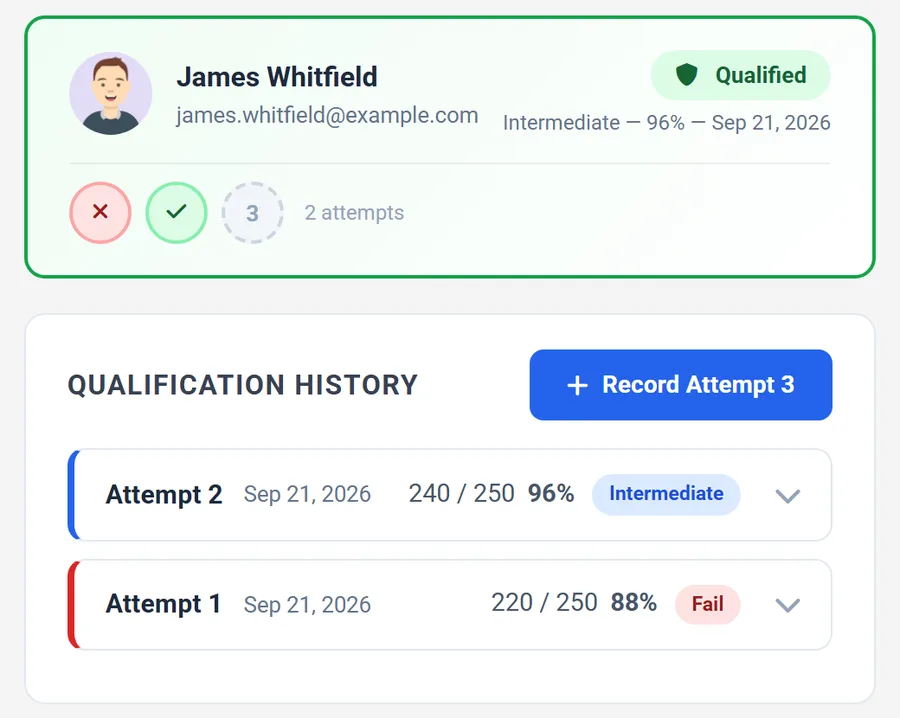
Officers get up to three attempts, and every one is kept with its date, score, percentage, and result.
Add observations about conditions and performance, and attach a photo of the target sheet to the record.
Search by name or email and see the officer's photo, current status, and attempt markers as soon as you select them.
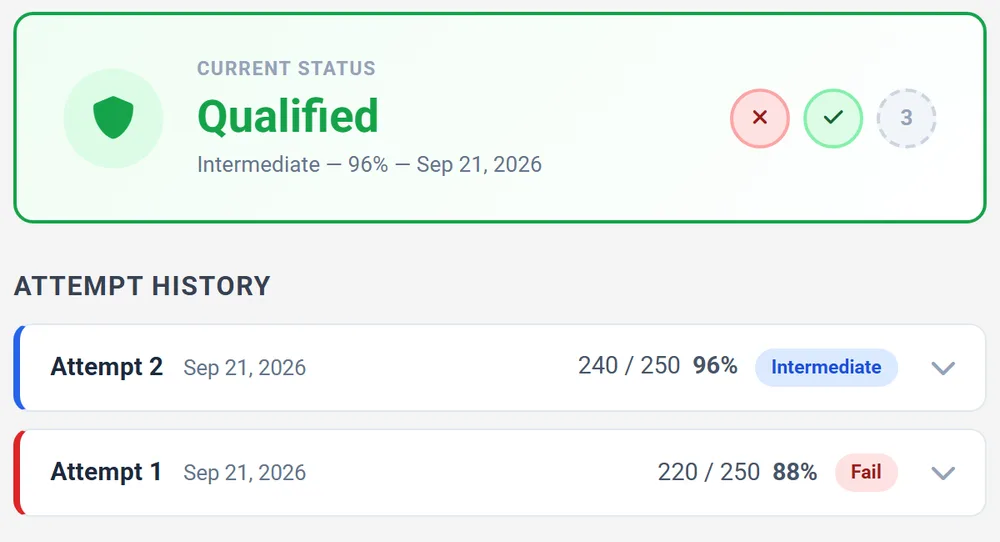
Each officer has a page with their current status and attempt history, so they never have to ask the office.
Each officer gets up to three attempts, and every one is kept: the date, the score, the percentage, and the result. A failed first attempt followed by a passing second one is visible at a glance, along with the officer's current status.
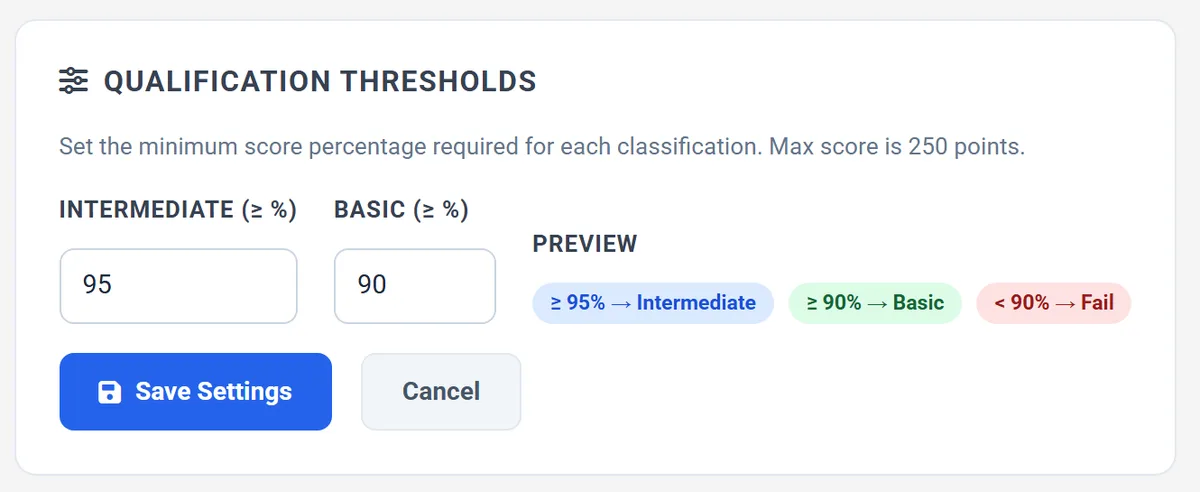
Your company decides what counts as a pass. Set the minimum percentage for each classification once, and every score is classified the same way, with a live preview so nobody has to do the math.
Guards do not have to ask the office how they did. Each officer has a page with their current status and full attempt history, so they know where they stand and whether they need another attempt.
Secureburg records the scores your range staff enter and applies the thresholds you set. It does not replace your state's qualification requirements or issue a license, so keep following the requirements that apply to your officers. To track the qualification certificate itself, add it as a document type in the compliance report and watch its expiry date there.
Set it up once, then score qualifications as they happen.
Choose the minimum percentage for Intermediate and Basic once. Everything after that is classified the same way.
Search by name or email and open their record to see their status and any earlier attempts.
Enter the rounds scored at each point value for all five stages, mark a safety disqualification if one occurred, and add notes.
Save the attempt to the record. The status, score, and result appear immediately, for you and for the officer.
Firearms qualification tracking software records each armed officer's range qualification attempts, scores them consistently, and keeps a history that a company can show to clients, insurers, and inspectors.
The sheet has five stages worth up to 50 points each, for a maximum of 250 points. You record the rounds scored at 5, 4, and 3 points in each stage, and the total, percentage, and classification calculate automatically.
Yes. You set the minimum percentage for Intermediate and Basic. Anything below the Basic threshold is classified as a Fail, and a preview shows how scores will be classified.
Up to three attempts are recorded per officer. Each attempt keeps its own date, score, percentage, and result, so a failed attempt followed by a pass stays visible in the history.
Yes. Each officer has a page showing their current status and attempt history. Officers see only their own record.
No. Secureburg records the scores your range staff enter and applies the thresholds you set. It does not issue a license or replace the requirements that apply to your officers. You can also track the qualification certificate as a document, with an expiry date, in the compliance report.
Set your thresholds, record your first qualification, and see the history build. Or book a demo and we will walk through scoring using a setup that looks like your company.
Also see security guard compliance software, security guard scheduling software, guard patrol and checkpoint software, every Secureburg feature, and security guard management software for Texas companies.