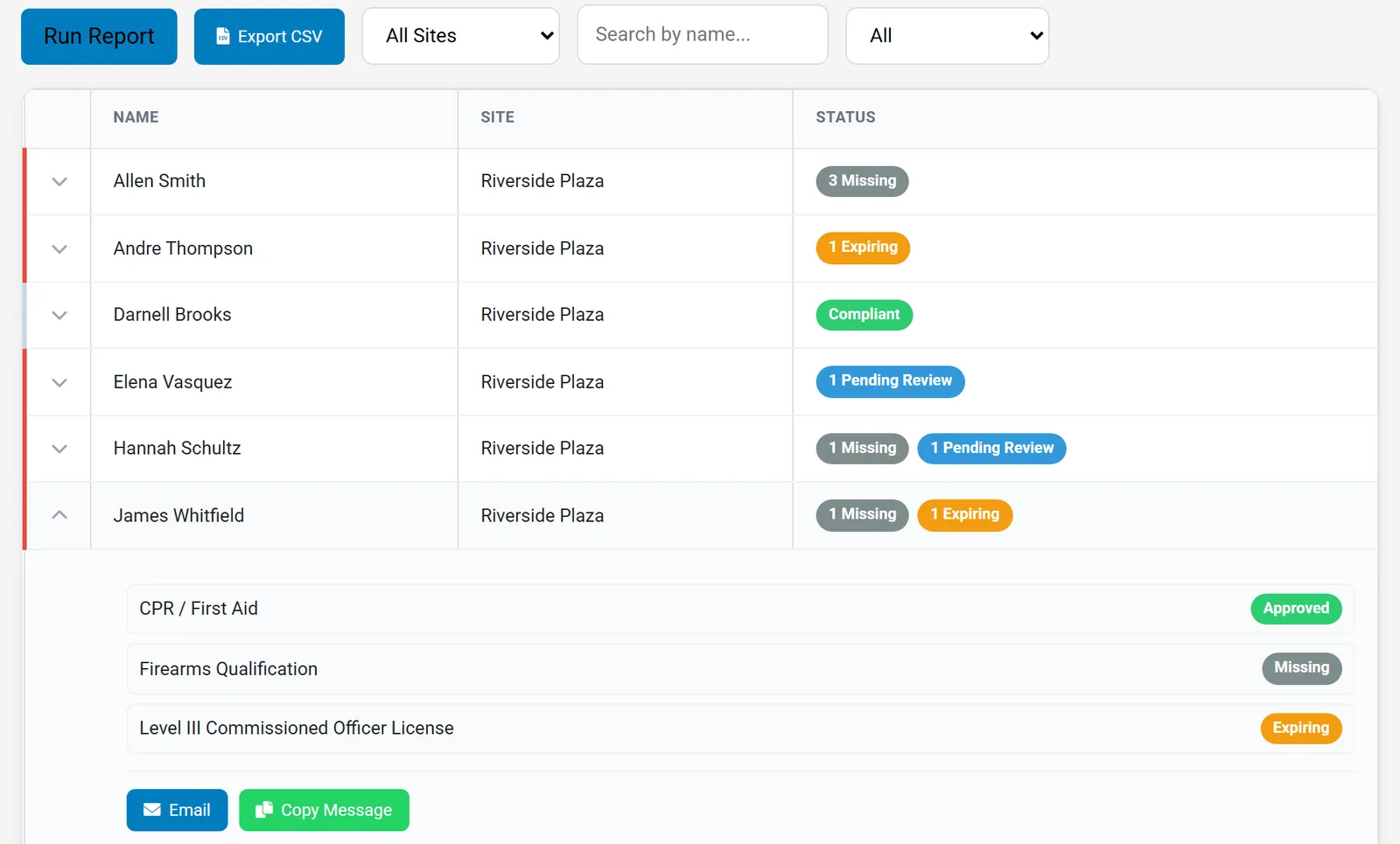
The Document Compliance Report: every guard, every required document, and what needs attention, on one screen.
Track licenses, firearms qualifications, and training documents for every guard. One compliance report shows who is missing a document, who is waiting on review, and whose license is about to expire, before a client or an inspector finds out.
Web dashboard for managers and admins. Guards upload documents from their own accounts.
The Document Compliance Report: every guard, every required document, and what needs attention, on one screen.
Guard licenses, firearms qualifications, and CPR cards live in email attachments, filing cabinets, and one supervisor's memory. Everything seems fine until a client asks for proof, an inspector visits, or a guard on post turns out to have a lapsed license.
Compliance software for security companies has to do more than store files. It has to know which documents each guard is supposed to have, flag the ones that are missing or running out, and make it easy to follow up.
From defining what you track to following up with the guard, one system handles the full compliance cycle.
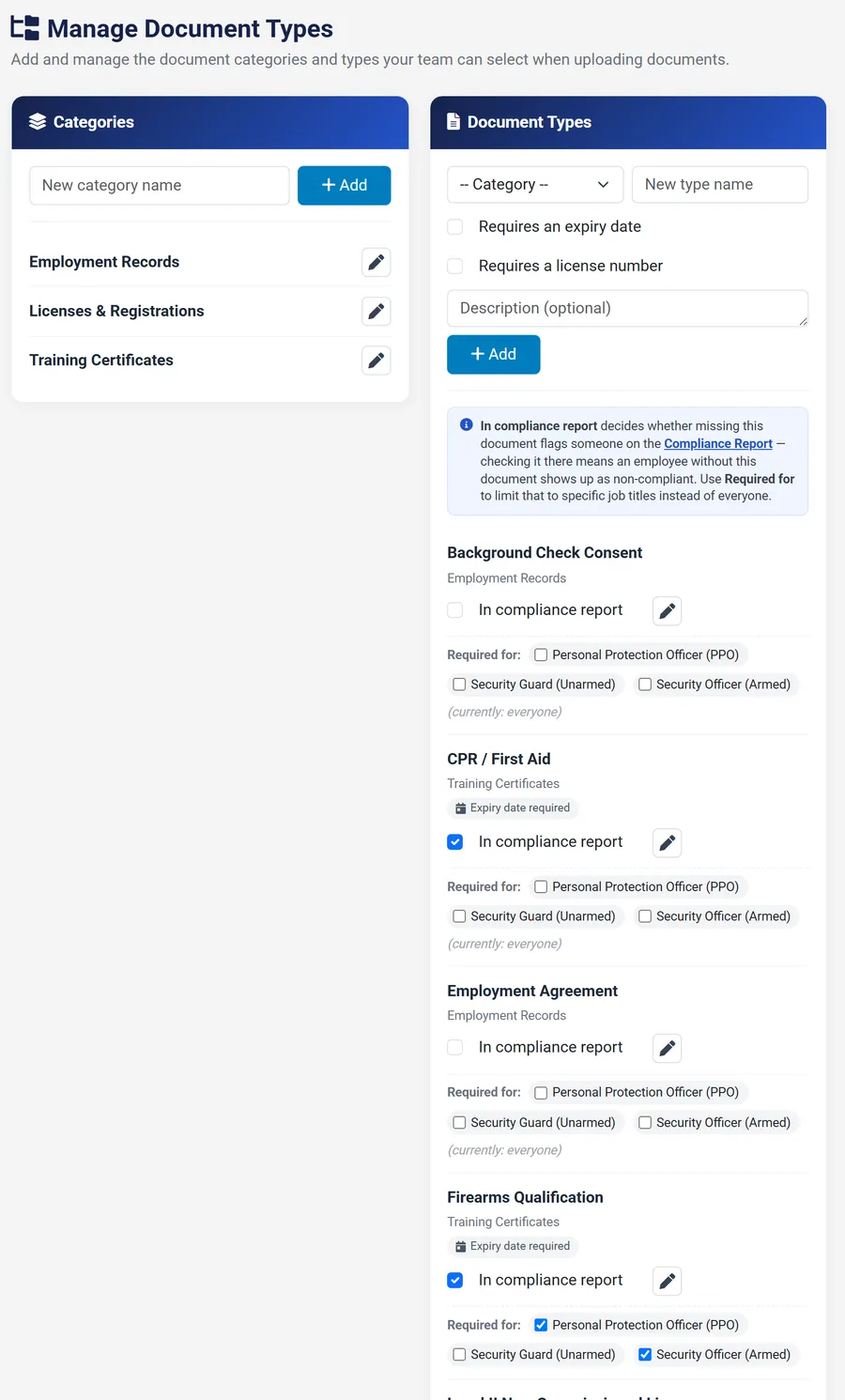
Build your own categories and document types, from state licenses to firearms qualifications and CPR, and require an expiry date or license number where they apply.
Require a firearms qualification only for armed officers, or a license only for unarmed guards, instead of one list for everyone.
Guards upload PDF, JPG, or PNG documents from their own accounts, with the expiry date and license number, so admins are not scanning and typing.
Documents arrive as pending. Admins approve, reject with a note, or revoke an approval, and every change is kept in the document timeline.
Run one report to see every guard against every required document, filter by site, name, or status, and export it to CSV for clients and audits.
Approved documents that expire within 90 days are flagged as Expiring, and lapsed ones as Expired, before they become a problem.
Expand a guard in the report to see exactly which documents are missing, then email the guard or copy a ready-made message.
Personnel documents are protected with AES-256 encryption at rest and in transit, with role-restricted access and optional password protection for PDF sharing.
Every company needs a different list. Create your own categories and document types, such as a Level II or Level III license, a firearms qualification, or CPR, and decide exactly how each one is tracked.
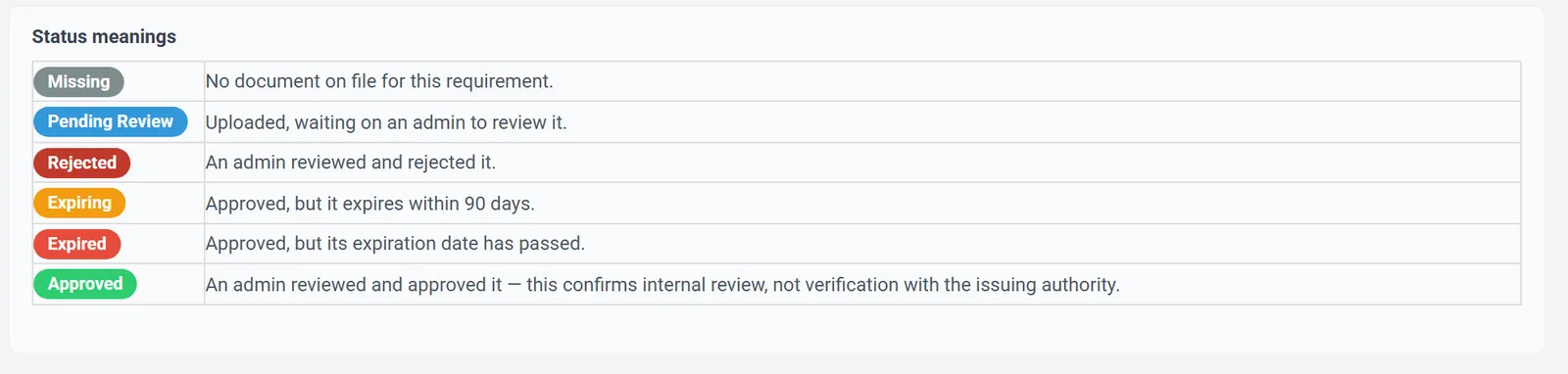
Each requirement lands in exactly one status, so a supervisor can scan the list and know where to start. Documents that expire within 90 days are flagged before they lapse.
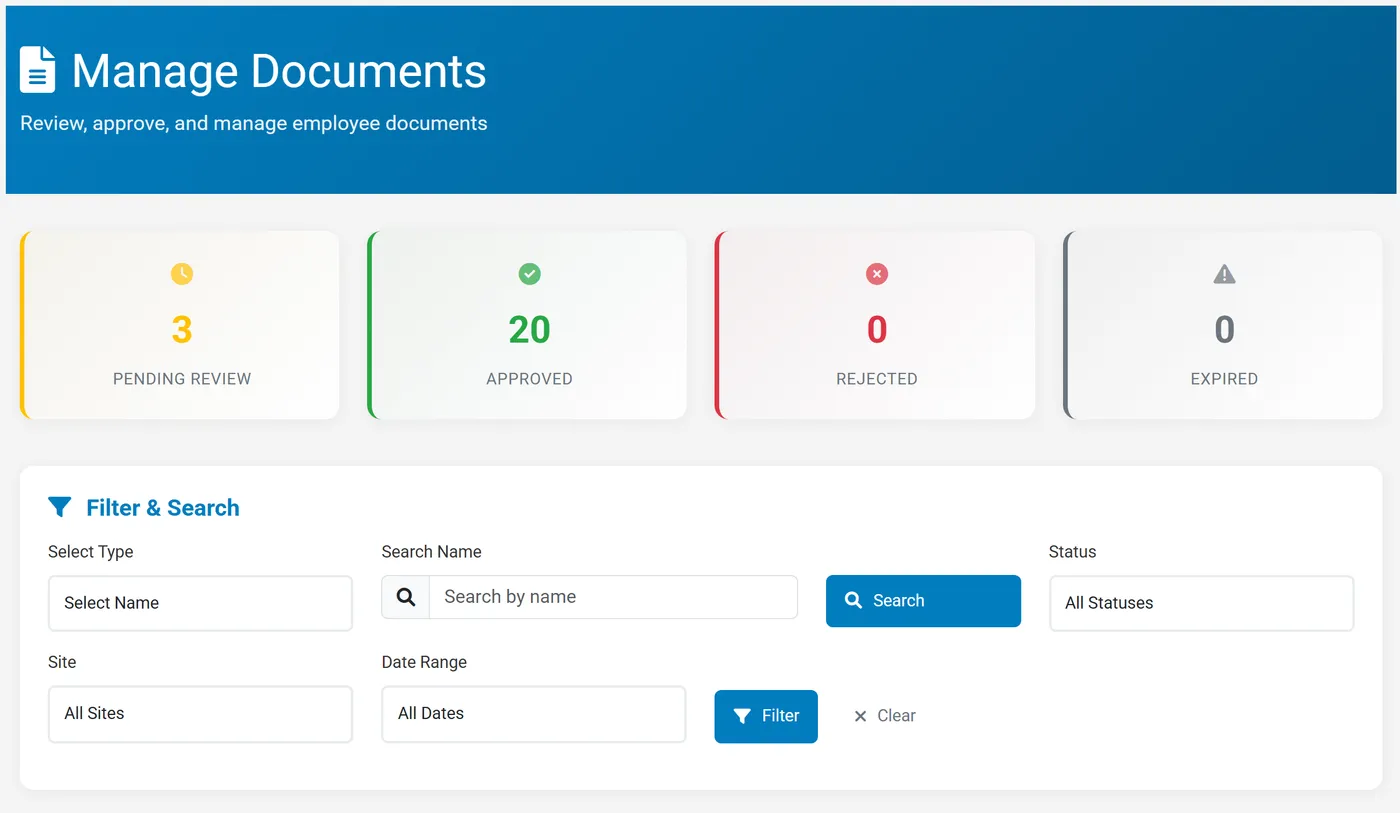
Guards upload their own documents, and nothing is treated as compliant until an admin has looked at it. Approve it, or reject it with a note explaining why.
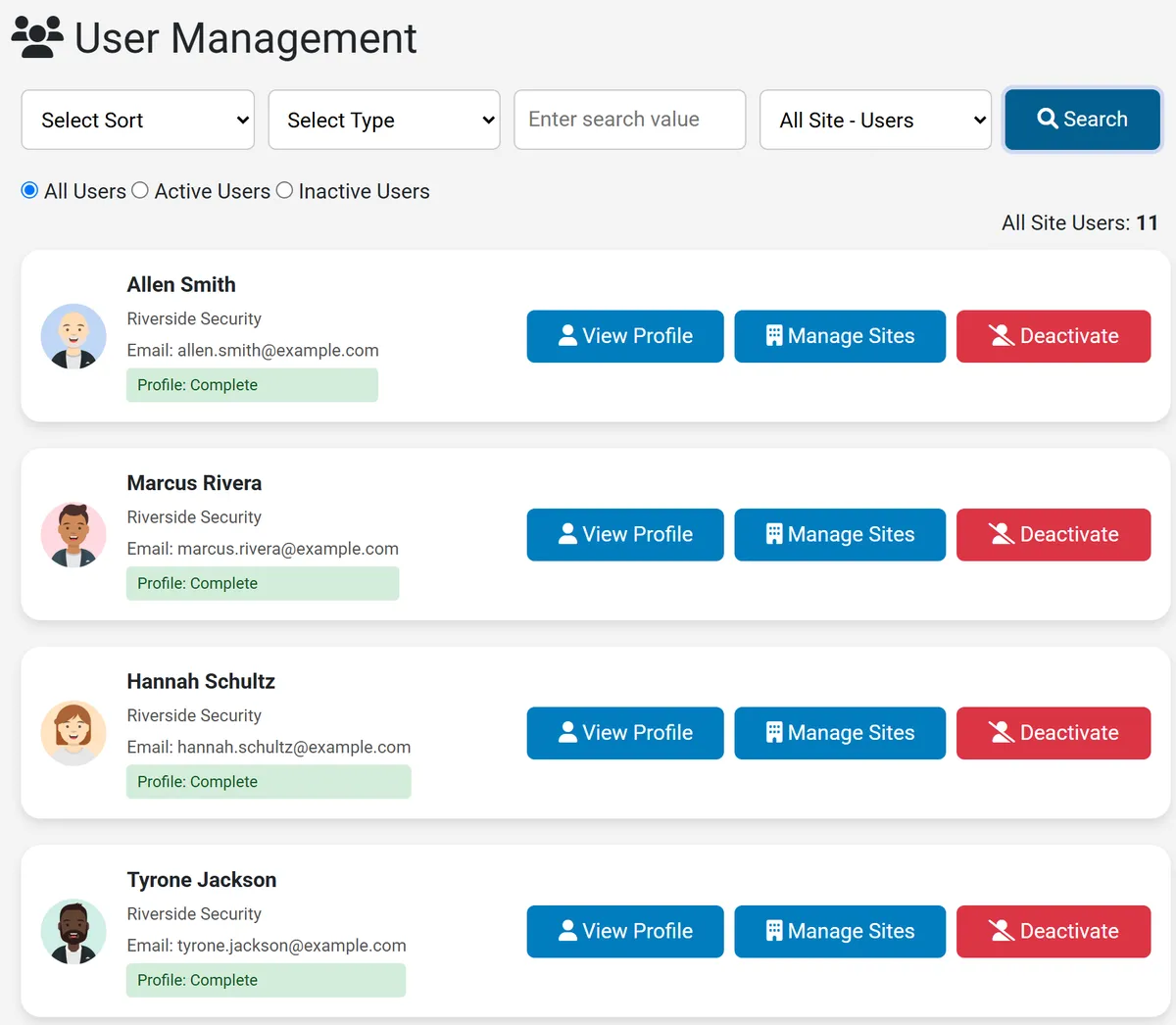
Compliance starts with knowing who works for you. Each guard has a profile with personal details, employment dates, job title and description, a profile photo, and assigned sites, and the roster shows at a glance whose profile is complete.
Secureburg records that your team reviewed and approved a document. It does not check a license with the agency that issued it, so keep verifying licenses the way you do today. What it adds is a reliable record of what is on file, what is missing, and what is about to expire.
Four steps, and most of them happen without a supervisor chasing anyone.
Create the document types your company needs, and mark which ones are required and for which job titles.
Each guard adds their documents with expiry dates and license numbers. Admins can upload on a guard's behalf too.
Approve clean documents in one click, reject with a note when something is wrong, and see the queue by status.
See who is missing, pending, expiring, or expired, follow up with the guard, and export when a client asks.
Security guard compliance software tracks the licenses, certifications, and documents each guard is required to have, flags what is missing or about to expire, and gives managers one place to review documents and follow up.
Any document you set up. Create your own categories and types, such as Level II and Level III licenses, firearms qualifications, CPR or first aid, training certificates, and employment records, and choose whether each one needs an expiry date or a license number.
Yes. Each document type can be required for everyone or only for specific job titles, so an armed officer can be required to have a firearms qualification without flagging your unarmed guards.
Run the Document Compliance Report. Each guard shows a status for every required document: Missing, Pending Review, Rejected, Expiring within 90 days, Expired, or Approved. Filter by site, name, or status, and export the results to CSV.
No. Approved means your admin reviewed the document and accepted it. Secureburg does not check licenses with the issuing agency, so keep verifying them the way you do today. Secureburg keeps the record of what is on file and what is expiring.
Yes. Guards upload PDF, JPG, or PNG files (up to 10 MB each) from their own accounts. Uploads are pending until an admin approves or rejects them.
Personnel documents are protected with AES-256 encryption at rest and in transit, and access is role-restricted to approved admins and authorized personnel.
Set up your document types, invite your guards, and run your first compliance report. Or book a demo and we will walk through it using a setup that looks like your company.
Also see security guard scheduling software, firearms qualification tracking software, guard patrol and checkpoint software, and security guard management software for Texas companies.